Wan 2.2 Animate: Specs, How to Run It, and API Access
Wan 2.2 Animate is Alibaba's Apache-2.0 character animation model. Both modes, specs, how to run it, and the closest live API.
Wan 2.2 Animate is the Wan team's open-weight 14B model for putting a character image into motion: it either animates the image with a performer's movement and expressions, or swaps the character into the performer's video. Released September 19, 2025 under Apache 2.0, it has no UnificAlly route, its official Hugging Face Space now returns HTTP 401, and an end-to-end successor, Wan-Animate-2, shipped on August 7, 2026.
TL;DR:
Wan2.2-Animate-14Btakes one character image and one driving video and runs in animation mode (Move) or replacement mode (Mix, with a relighting LoRA). Wan's own Hugging Face demo is gone (checked November 16, 2026); ModelScope Studio and wan.video still host it, and a community ZeroGPU Space runs it for free. Self-hosting means a preprocessing pass that only handles one person per video in replacement mode. Our call: run Wan 2.2 Animate for character replacement, which neither Wan-Animate-2's model card nor Kling's endpoint lists. For animation alone, start with Wan-Animate-2 if you self-host, or Kling Motion Control 3.0 if you want an API call.
Wan 2.2 Animate in late 2026: what changed since launch
- The Wan team's Space is offline.
huggingface.co/spaces/Wan-AI/Wan2.2-Animateanswered 401 on November 16, 2026, and Wan-AI's public Spaces list shows only Wan2.2-S2V and Wan2.1. - A successor exists. Wan-Animate-2 Base and Distillation weights came out on August 7, 2026, and the model reads the driving video directly instead of a pose-and-face preprocessing pass.
- Replacement is still a Wan 2.2 Animate job. Wan-Animate-2's model card describes character animation only, and our Kling Motion Control docs list no replace mode.
- Most downloads are quantized. In the 30 days to November 16, 2026, Hugging Face counted 397,767 downloads of the community
QuantStack/Wan2.2-Animate-14B-GGUFbuild against 233,249 for the official checkpoint. - The prompt barely steers it. Wan's reference config runs at guidance scale 1.0 with a one-line default prompt; the pose and face inputs carry the result. We have not tested how much a custom prompt changes the output.
What is Wan 2.2 Animate?
Wan 2.2 Animate is a unified character animation and replacement model built on the Wan image-to-video backbone. Its official name is Wan2.2-Animate-14B; people also type it as "wan2.2 animate", "wan2 2 animate" and "Wan 2.2 Animate-14B", and the research paper calls the method Wan-Animate. All of these name the Alibaba Wan 2.2 Animate model covered here.
According to the Wan-Animate paper, body motion is transferred through spatially aligned skeleton signals, and facial expressions through implicit features taken from the performer's face. That second channel is why gaze, mouth shape and small expressions carry over, not only the limbs.
| Attribute | Wan 2.2 Animate |
|---|---|
| Developer | Alibaba Wan team |
| Model ID | Wan2.2-Animate-14B (Diffusers: Wan2.2-Animate-14B-Diffusers) |
| Release | September 19, 2025 (official) |
| Parameters | 14B (official) |
| License | Apache 2.0; Wan claims no rights over generated content (official) |
| Inputs | 1 character image + 1 driving video |
| Modes | Animation (Move), replacement (Mix) |
| Resolution | Set by pixel area; reference commands use 1280 x 720 (official) |
| Generation | 77-frame segments at 30 fps, 20 steps, guidance scale 1.0 (official config) |
| Hosted API | Alibaba Cloud Model Studio: wan2.2-animate-move, wan2.2-animate-mix |
| On UnificAlly | No route |
Long videos come out of Wan 2.2 Animate as a chain of 77-frame segments, each conditioned on the last frame of the segment before it, so a long driving video becomes many short generations stitched in sequence.
Animation mode (Move)
The character image performs the motion and expressions of the driving video. The output scene comes from the character image, so a dance filmed in a kitchen becomes your illustration dancing in its own background.
Replacement mode (Mix) and the relighting LoRA
In Wan 2.2 Animate replace mode, your character goes into the driving video, and the video keeps its scene, camera and motion. An auxiliary relighting LoRA (--use_relighting_lora) shifts the inserted character's lighting and color tone to match the scene. This is the mode behind most "Wan 2.2 Animate character swap" results posted online.
Where is the Wan 2.2 Animate Hugging Face Space, and how do you run it?
The demo linked from the Wan2.2 GitHub README, huggingface.co/spaces/Wan-AI/Wan2.2-Animate, returned HTTP 401 for both the page and the Hugging Face API when we checked on November 16, 2026. It is not in Wan-AI's public Space list either, so the official Wan 2.2 Animate hugging space is offline.
Three places still run the model in a browser:
- ModelScope Studio, the Wan team's own hosted demo. Wan-Animate-2's model card now points to the same Studio as its online demo, so check which model a session is running before comparing results.
- wan.video, Alibaba's web app for the Wan family.
- A community ZeroGPU Space,
alexnasa/Wan2.2-Animate-ZEROGPU. It is the most-liked Wan2.2-Animate Space (369 likes), shows as running on Hugging Face's shared ZeroGPU hardware, and offers character swap and pose retarget modes. It is not run by the Wan team.
One look-alike to skip: tddandroid/Wan2.2-Animate reports as running, but on cpu-basic hardware, which cannot generate with a 14B video model.
What Hugging Face still serves well is the Wan 2.2 Animate download. The official checkpoint is Wan-AI/Wan2.2-Animate-14B. Three ways to run it, from least to most setup:
- Diffusers.
Wan-AI/Wan2.2-Animate-14B-Diffusersloads intoWanAnimatePipelinewithmode="animate"ormode="replace". You still feed it pose and face videos, plus background and mask videos for replacement. - A Wan 2.2 Animate ComfyUI workflow. In ComfyUI, the Wan 2.2 Animate workflow is a native template with Move and Mix modes, and its video-extend group adds 77 frames at a time, matching the official segment length. For cards that cannot hold the full checkpoint, the GGUF builds (
QuantStack/Wan2.2-Animate-14B-GGUF,befox/Wan2.2-Animate-14B-GGUF) load through ComfyUI's GGUF nodes. The befox card says it keeps the face adapter tensors at a little more precision than QuantStack's. - The reference scripts. Preprocess the driving video first, then generate:
python ./wan/modules/animate/preprocess/preprocess_data.py \
  --ckpt_path ./Wan2.2-Animate-14B/process_checkpoint \
  --video_path ./video.mp4 --refer_path ./image.jpeg \
  --save_path ./process_results --resolution_area 1280 720 \
  --retarget_flag --use_flux

python generate.py --task animate-14B --ckpt_dir ./Wan2.2-Animate-14B/ \
  --src_root_path ./process_results/ --refert_num 1
For replacement, preprocess with --replace_flag (plus the mask options below) instead of --retarget_flag --use_flux, and add --replace_flag --use_relighting_lora to the second command. The README's multi-GPU example uses 8 GPUs with FSDP and DeepSpeed Ulysses. Skip LoRAs trained on Wan 2.2: the Wan team warns that Animate's changed weights can make them behave unpredictably.
Wan 2.2 Animate preprocessing: five ways a run goes wrong
Most failed self-hosted runs go wrong before generation starts. Wan's preprocessing guide lists the traps:
- More than one person in a replacement video. The bundled mask extractor is built for single-person videos, and on multi-person videos it can track the wrong pose or fail. You need your own segmentation for crowds.
- Mismatched body shapes in replacement mode. Pose retargeting is off by default there, on purpose, so the character keeps contact with the scene. A tall, thin character dropped onto a short, broad performer can deform.
- Basic retargeting with a turned or crouched pose.
--retarget_flagalone expects both the character image and the first video frame to show a front-facing, stretched-out pose. Otherwise add--use_flux, which edits the pose with FLUX.1-Kontext-dev, and check the intermediate pose video insave_path, since the guide does not promise that step works. - A mask that is too tight or too loose.
--iterationsand--kgrow the mask;--w_lenand--h_lenchange how detailed its outline is. A tight mask keeps more background but can leak the old silhouette; a loose one frees the character but disturbs the background. - A low processing frame rate. The
fpsoption speeds things up, at the cost of choppy motion.
Preprocessing also pulls in extra models: YOLOv10m and ViTPose-H for pose (required), SAM2 for masks, and FLUX.1-Kontext-dev for enhanced retargeting.
Wan 2.2 Animate on Alibaba Cloud Model Studio: no prompt, 2 to 30 seconds
Alibaba's own hosted API splits the model in two: wan2.2-animate-move for animation and wan2.2-animate-mix for replacement, each with a wan-std mode (faster, cheaper) and a wan-pro mode (smoother, slower, pricier). Rules from the wan2.2-animate-move API reference:
- No prompt field. The request carries an image URL, a video URL, a watermark flag,
check_image(on by default) and the mode. - Character image: JPG, PNG, BMP or WEBP, 200 to 4,096 px per side, aspect ratio between 1:3 and 3:1, up to 5 MB.
- Driving video: MP4, AVI or MOV, 2 to 30 seconds, 200 to 2,048 px per side, the same aspect range, up to 200 MB.
- Output: 720P at 15 or 25 fps per Alibaba's model table, billed per second of output only; failed calls are not charged. Generation takes several minutes, and Alibaba suggests polling about every 15 seconds.
- Quality tips from the docs: frame the character at a similar size in the image and the video, keep body proportions close, and use sharp, high-frame-rate sources.
China (Beijing) and Singapore regions use separate API keys and endpoints.
Wan-Animate-2 vs Wan 2.2 Animate: what the successor drops
Searches for "wan 2.2 animate 2" and Wan2.2-Animate-2-14B point to the newer model. The Wan-Animate-2 model card describes it as end-to-end: the driving video goes straight into a redesigned diffusion transformer, with no separate motion extractors.
| Wan 2.2 Animate | Wan-Animate-2 | |
|---|---|---|
| Weights released | September 19, 2025 | August 7, 2026 (Base and Distillation) |
| Driving video input | Preprocessed into pose, face, background and mask videos | Read directly, no extractors |
| Modes in the docs | Animation and replacement | Character animation (replacement not listed) |
| Camera control | Follows the driving video | Text-driven viewpoint control |
| Prompt | Generic default, guidance 1.0 | LLM caption of the character image (appearance and background, no actions) |
| Fast variant | None | Distilled: 10 steps, no classifier-free guidance; a Lite variant is described for real-time use |
| Reference hardware | 8 GPUs in the multi-GPU example | 8x A800 for 720P; 480P tested on 2x A800 |
| Diffusers pipeline | WanAnimatePipeline | WanAnimate2Pipeline |
| License | Apache 2.0 | Apache 2.0 |
Wan-Animate-2 removes the preprocessing pass that causes most Wan 2.2 Animate failures, but its card lists only character animation, so Wan 2.2 Animate stays the open model for character replacement.
Kling Motion Control 3.0 test: one reference dance on a cartoon robot
With the official Space down and self-hosting a job that pulls in up to four extra preprocessing models, we ran the nearest hosted equivalent, Kling Motion Control 3.0, on October 19, 2026 through the UnificAlly MCP. Both inputs were generated as well, so anyone can rebuild the chain:
- Reference video: 5 seconds of a dancer, text-to-video on Grok Imagine 1.5 Lite Video at 480p, 9:16 ($0.05).
- Character image: a cartoon robot, full body, facing the camera, from Grok Imagine 1.0 Image ($0.01).
- Motion control request:
modestd(720p),character_orientationvideo,keep_audiofalse, prompt "The cartoon robot dances energetically, raising both arms, swaying side to side and spinning once, in a plain light grey studio". Billed $0.567 for 5 seconds.
The two inputs, for comparison:
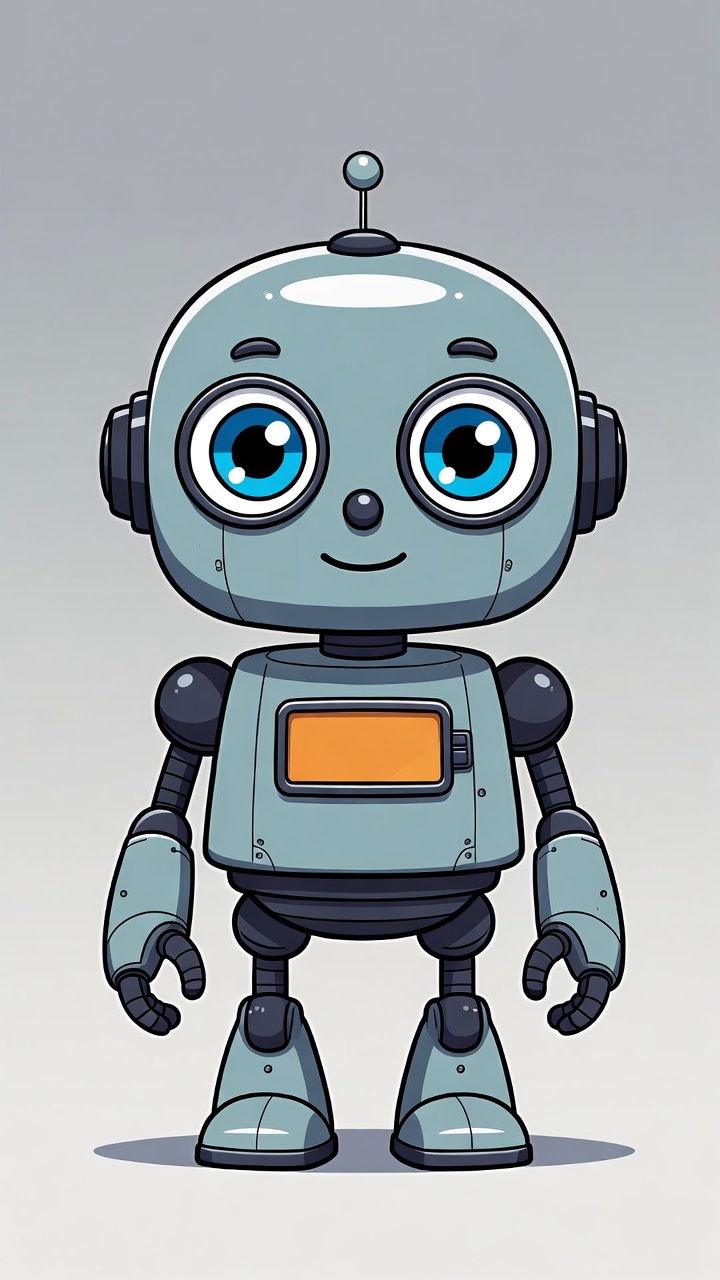
What carried over: the arm raise, the side sway, the full spin (the robot is seen from behind mid-turn, antenna included) and the return to the starting pose, with the robot's proportions, chest panel and grey backdrop intact. What did not: the robot's eyes stay closed for most of the video, and a head tilt around the two-second mark stretches the skull. That is a single 720p call with no setup. The weak point, the face, is exactly where Wan 2.2 Animate's dedicated face channel is meant to help, and replacement mode has no hosted Kling equivalent at all.
Wan 2.2 Animate vs Kling Motion Control
Kuaishou's Kling Motion Control does the same core job as a hosted API: it moves a character image the way a person moves in a reference video. The two differ on almost everything around that job:
| Wan 2.2 Animate | Kling Motion Control 3.0 | Leader | |
|---|---|---|---|
| Access | Open weights; Alibaba's hosted API and demos | One POST request on UnificAlly | Kling for setup, Wan for control |
| Replacement (swap into video) | Yes, with relighting LoRA | Not in our docs (motion transfer only) | Wan 2.2 Animate |
| Max resolution | 720p (reference setting, hosted API) | 1080p (pro mode) | Kling |
| Inputs | Character image + driving video | Prompt + character image + reference video, optional elements | Kling (more control inputs) |
| Audio | Silent | Reference audio kept by default (keep_audio) | Kling |
| Pose priority | Follows the driving video | character_orientation: video or image | Kling |
| Multi-person driving video | Replacement mask: single person only | Not listed in our docs | Unclear |
| Input framing rule | Similar framing and proportions (Alibaba FAQ) | Head, shoulders and torso clearly visible (our docs) | Tie |
| License | Apache 2.0, outputs yours | Hosted API terms | Wan 2.2 Animate |
Wan 2.2 Animate wins on openness and scope: replacement mode has no counterpart on the Kling endpoint, and Apache 2.0 leaves the output with you. Kling Motion Control 3.0 wins on operations: 1080p, audio passthrough, a pose-priority switch and no GPUs. For a character swapped into existing video, use Wan 2.2 Animate. For a character image performing a reference motion from an API call, use Kling.
Calling a Wan 2.2 Animate alternative on UnificAlly today
UnificAlly does not serve Wan 2.2 Animate. Kling Motion Control 3.0 covers animation mode in one request:
curl -X POST https://api.unifically.com/v1/tasks \
  -H "Content-Type: application/json" \
  -H "Authorization: Bearer YOUR_API_KEY" \
  -d '{
    "model": "kuaishou/kling-3.0-motion-control",
    "input": {
      "prompt": "Person dancing gracefully",
      "video_url": "https://example.com/dance-motion.mp4",
      "image_url": "https://example.com/person.jpg",
      "character_orientation": "video",
      "mode": "pro",
      "keep_audio": true
    }
  }'
mode defaults to std (720p); pro returns 1080p. The optional elements array adds up to four images per extra character or object, each with a description of up to 100 characters. Costs for a 5-second output:
- Kling Motion Control 3.0: $0.567 at 720p, $0.756 at 1080p.
- Kling 2.6 Motion Control, same inputs without
elements: $0.315 at 720p. Our docs describe 3.0 as the version with stronger facial consistency, which was the weak spot in our test, so we would pay the difference for faces.
The Wan 2.2 route from the same family did text-to-video and image-to-video, never motion transfer, and it was retired on October 24, 2026; Wan 3.0 is the live Wan video model. For prompting the Wan image-to-video models, see the Wan 2.2 image-to-video prompt guide. New accounts start with a $0.50 balance, which covers 4 seconds of Kling Motion Control 3.0 at 720p.
Wan 2.2 Animate FAQ
Is it wan 2.2 animate, wan2.2 animate, or wan2 2 animate?
They are the same model. Its official name is Wan2.2-Animate-14B; "wan 2.2 animate", "wan2.2 animate" and "wan2 2 animate" are spacing variants, and "Wan-Animate" is the paper's name for the method. Wan2.2-Animate-2-14B is a different, newer model.
Is Wan 2.2 Animate free?
The Wan 2.2 Animate open source weights are free under Apache 2.0, and Wan claims no rights over what you generate, so self-hosting costs only GPU time. ModelScope Studio and a community ZeroGPU Space run it in a browser; Alibaba Cloud Model Studio bills per output second.
Can Wan 2.2 Animate replace a character in a video?
Yes. Replacement mode (Mix) swaps your character image into the driving video and keeps its motion, scene and camera, with a relighting LoRA matching the light. The bundled mask step only supports single-person videos, and mismatched body proportions can cause deformation.
Is Wan 2.2 Animate on Hugging Face?
Yes, as weights: Wan-AI/Wan2.2-Animate-14B, a Diffusers version, and community GGUF builds. Wan's own demo Space returned HTTP 401 on November 16, 2026; ModelScope Studio, wan.video and the community alexnasa ZeroGPU Space still run the model in a browser.
Is there a GGUF version of Wan 2.2 Animate for low-VRAM GPUs?
Yes. QuantStack/Wan2.2-Animate-14B-GGUF is the most downloaded Wan 2.2 Animate build on Hugging Face, ahead of the official checkpoint, and befox/Wan2.2-Animate-14B-GGUF keeps the face adapter at higher precision. Both load through ComfyUI's GGUF nodes into the Move and Mix workflow.
Does the Hugging Face Space do replacement mode?
Wan's own Space is offline. The community alexnasa ZeroGPU Space offers a character swap mode (replacement) and a pose retarget mode, on shared GPU hardware. The CPU-only community Space shows both modes but cannot render a 14B model; ModelScope Studio is the official hosted option.
Can I run Wan 2.2 Animate without a GPU?
Not locally. Without a GPU, use a hosted option: ModelScope Studio or wan.video for the model itself, Alibaba Cloud Model Studio for an API with no prompt field, or Kling Motion Control 3.0 on UnificAlly for the animation half of the job.
Can I call Wan 2.2 Animate on UnificAlly?
No. There is no Wan 2.2 Animate route on UnificAlly. For moving a character image with a reference video's motion, Kling Motion Control 3.0 is the closest live equivalent, and Wan 3.0 covers text-to-video and image-to-video for the Wan family.
Is there a newer version than Wan 2.2 Animate?
Yes. The Wan team released Wan-Animate-2 (Wan2.2-Animate-2-14B) on August 7, 2026, with Base and 10-step Distillation weights, Diffusers and ComfyUI support, and text-driven viewpoint control. Its model card covers character animation only, so replacement still runs on Wan 2.2 Animate.
Live today on UnificAlly for this job: the Kling Motion Control 3.0 API and the Kling 2.6 Motion Control API; the retired Wan 2.2 page keeps the family's original spec.